
Searching Cases by Name
Begin a name lookup at the county's official Online Records Search page. It links to Courts & Justice Public Records Search. It also passes along one practical tip: type an asterisk when you are not sure of the exact spelling. The live Tyler screens can shift over time. So trust the county page for field labels. Do not guess what the interface shows today.
- Open the county Online Records Search landing page and choose the likely case category.
- Try the exact party name first, then use the documented * wildcard for uncertain spelling.
- Review each possible match for court, case type, style, filing date, and party role.
- Open the matching case when available and compare its number with another official notice.
- Repeat the search in re:SearchTX or contact the proper clerk when the local portal does not load.
One more local rule matters here. Under its posted policy, the County Clerk will not run probate or criminal searches for the general public. Do the search yourself, online or in person, instead of asking staff to sweep through the records by name.
Use the Gillespie County Case Search Wildcard
The asterisk wildcard is the one Tyler search behavior the county itself documents. It shines when a surname has variant spellings, odd spacing, or an unclear ending. Bear in mind that a wildcard hit proves nothing about identity. Two similar names may still be two different people. Try exact and broad spellings first. Then narrow the Gillespie County docket results using public case facts.
| Field or control | Type | Required | Confirmed use |
|---|---|---|---|
| Name | Text | Depends on search | Use the party name and test an exact form first. |
| * | Wildcard | No | County page directs its use when exact spelling is unknown. |
| Category | Record choice | As needed | Landing page lists calendar, civil, family, probate, criminal, jail, and jail bonds. |
| Case number | Identifier | No | Prefer it when an official notice supplies one. |
The county does not advertise birth-date, address, statute, attorney, or date-range filters. Do not assume any of those fields exist until the normal interface spells them out.
Searching by Case Number
A case number beats a name every time. Local District Clerk paperwork calls it a cause number, but it is the same identifier. Copy it exactly as it appears on a filed notice, order, citation, or clerk record. Keep the letters, punctuation, and leading zeroes intact. No single universal Gillespie format is settled local fact. So a made-up pattern like YYYY-XX-##### should never be treated as the real thing.
When an exact number draws a blank, look again at the court named on the document. District, County Court at Law, the constitutional County Court, justice courts, and the municipal court each route records differently. A federal cause number belongs in PACER, not the county portal. Before changing anything, ask the clerk a question. Ask whether the number carries a court prefix, a legacy format, or its own punctuation rule.
Verify a Gillespie County Case Search Match
Treat a name-only hit as a lead, not proof. Gillespie County has several courts and clerks, so first confirm the right one. Then compare the details. Look at the case style, the case type, each party's role, the filing date, and the cause number. Plaintiff, defendant, petitioner, and respondent mark very different positions in the same case.
Match the record, not just the name. A charge is an allegation and a docket entry is not proof of guilt or liability.
Record “no result in this system” when a search is blank; do not turn a portal result into a claim that no case exists.
With a common name, insist on more than one point of agreement that does not invade privacy. Never lean on Social Security numbers, full birth dates, account numbers, or similar protected data as matching tools.
What a Gillespie County Case Search Returns
The county's Tyler portal does not spell out its result columns for the public. So do not count on a set layout. The official re:SearchTX guide gives a solid picture of its statewide detail view. That view can display a case header along with public events. Some documents behind it still require payment, and others stay restricted.
| Case or cause number | The court-assigned identifier used to distinguish the file. |
|---|---|
| Case style | The caption or description naming parties or the proceeding. |
| Case type | The category, such as civil, criminal, family, or probate. |
| Parties and roles | Publicly displayed plaintiffs, defendants, petitioners, or respondents. |
| Judicial officers | The judge or other officer listed in the statewide detail. |
| Filings and documents | Public docket items or document links, subject to access and cost. |
| Hearings and events | Scheduled or recorded events that still require current confirmation. |
Keep the limits straight. A header is not the full pleading, a docket history is not a certified copy, and a scheduled event is not a disposition.
Search Gillespie County Cases in re:SearchTX
The official re:SearchTX landing page is the statewide layer covering participating Texas courts. Its guide says you must register or sign in before searching. An eFileTexas account works, and a general-public account type exists too. Sign-up asks for several things. It wants your first and last name, an email, a password, a password confirmation, and your account type.
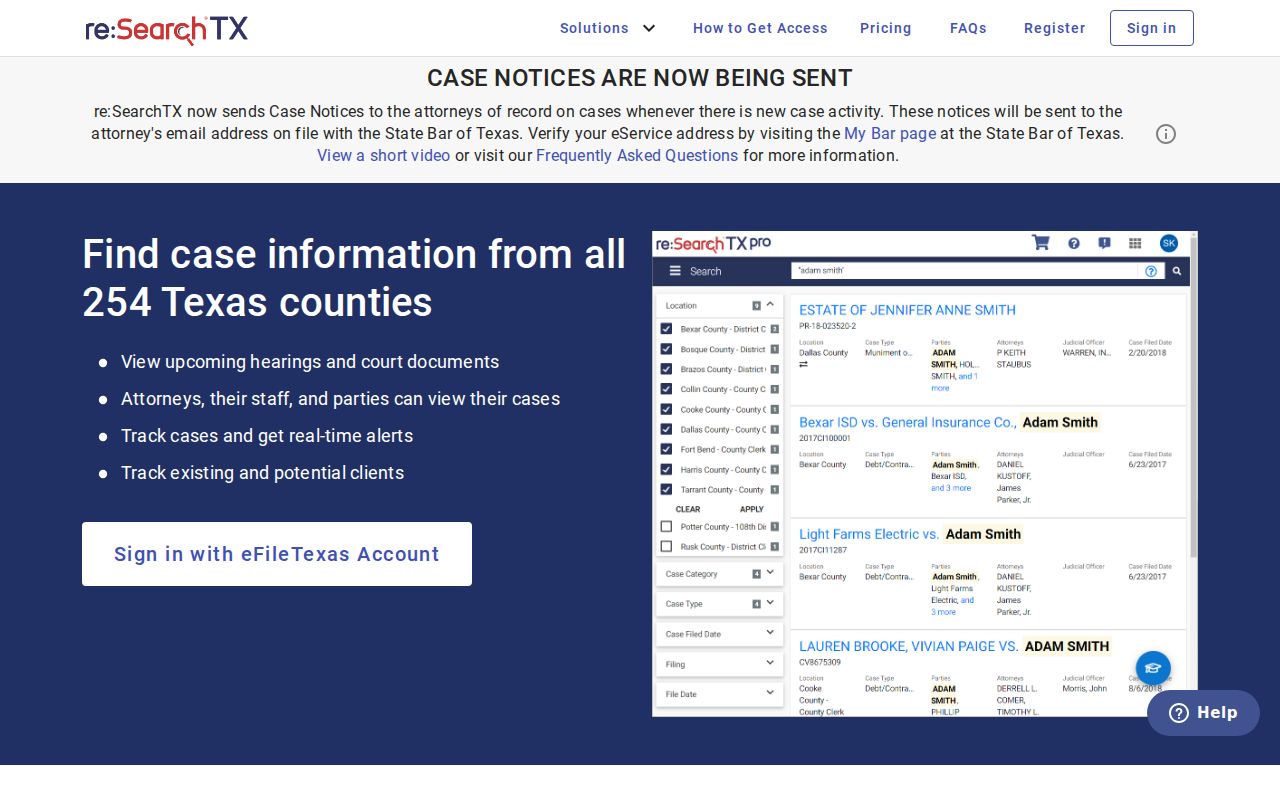
Advanced Search opens with a choice: Cases or Hearings, plus a Search By option, and the fields shift to match. The guide also covers sorting by filing date or case number, exporting results, and using wildcards for parties, attorneys, and judges. For a Gillespie County inquiry, case location, category, and type can tighten the results.
Statewide vs County Case Search
The two systems overlap, yet they serve different jobs. Use the county landing page when you know the matter sits in Gillespie County and you want its listed local category. Turn to re:SearchTX for a Texas-wide sweep or any search that includes hearings. Neither one stands in for the clerk responsible for the record.
| Search point | Gillespie County portal | re:SearchTX |
|---|---|---|
| Scope | Listed Gillespie court and justice categories | Participating courts across Texas |
| Access | County landing page links to Tyler; live page was blocked during research | Registration and sign-in required |
| Confirmed tools | * wildcard and category coverage | Cases or Hearings, changing fields, sort, export, and wildcards |
| Documents | Current local depth was not verified | Public documents may require purchase |
| Best use | A known local matter | Statewide discovery and cross-checking |
eFileTexas is for filing and is not a promise of complete public docket access.
Keep Gillespie County Case Search Systems Separate
No single search reaches every courthouse. Fredericksburg Municipal Court takes city ordinance and other fine-only Class C cases filed inside the city. Its payment portal is not a docket search; the city posts no separate public case-search page. Call the municipal clerk at 830-997-9935 to learn the proper route.
Federal matters follow a different map entirely. Gillespie cases land in the Western District of Texas, Austin Division. Federal bankruptcy goes to that bankruptcy court's Austin Division, so search PACER or CM/ECF apart from everything county-run. CourtListener and RECAP can fill gaps in federal research, though their coverage is spotty. Justice court filings also demand the right precinct. A JP case tied to a property or incident will not surface through any other JP office.
A Blank Gillespie County Case Search Proves Little
A blocked portal tells you almost nothing. The Tyler address may bounce you to a login page or an HTTP 403 error. Gillespie County users can also hit a blank screen. Other hurdles include a sign-in prompt, a forbidden notice, or a short outage. None of that means the court record is missing. Go back to the county Online Records Search page, try again later, or use re:SearchTX. If the trouble persists, contact the right clerk.
Sometimes a document stays off the public site for a lawful reason. A system may also show only an index rather than full papers. District copy requests go by email to districtclerk@gillespiecounty.org. They can take up to three business days. The County Clerk sits at 101 W Main, Room 109, 830-997-6515. The District Clerk is in Room 204 at 830-997-6517. JP offices are at Annex 1. Ask each office about in-person docket access, since free public terminals are not guaranteed at every location.
Access and Restricted Cases
Not every Gillespie County case search result is open to the public. Texas Rule of Civil Procedure 76a controls when civil court records are sealed. Rule 21c forces filers to protect sensitive data and limits remote access to unredacted filings. Juvenile files fall under Texas Family Code Chapter 58. Confidential family material, expunction matters, nondisclosure matters, and case-specific orders can each narrow what you see.
A restricted case might show a bare header with no documents. It might not appear to you at all. Don't guess why from the screen, and don't speculate about anyone named in the docket. Ask the clerk which access route governs that file. Judicial records are not treated like ordinary county agency records. Government Code section 552.0035 sends judiciary-held information to court rules and other law. The clerk generally holds the adjudicative case record itself.